Kane CLI Testing Agent for DEVS
Describe a flow in natural language and Kane CLI drives real Chrome from your terminal, returning a pass or fail with a replayable .evidence pack for every run. No selectors, no scripts to maintain.

or read the documentation
10,000 Kane CLI Credits. Yours. Free for a Month.
Automate your QE workflow from your terminal
$ npm install -g @testmuai/kane-cli
$ kane-cli run "verify checkout flow on staging"
✓ 12 tests generated
✓ 12 passed (41s)
Agentic Web and Mobile App Testing From Terminal
Kane CLI is KaneAI in your terminal. Describe a flow in natural language and get a verified pass or fail on your website or mobile app.
Web CLI
Run AI website tests from the command line on your local Chrome.
- Write the test as one natural language sentence
- Run headed locally or headless in CI
- Typed exit codes: 0 pass, 1 fail, 2 setup error, 3 timeout
- Export runs to Python Playwright
Mobile CLI
Run native app tests on a local iOS Simulator or Android Emulator.
- No Appium server or driver setup
- Pick any simulator or emulator by name and OS version
- Boot failures exit as 2, not as test failures
- Scale to 10,000+ real iOS and Android devices
Agent-Native. From Day One.
Point Cursor to Kane CLI and let it drive real browsers. Author, run, and verify flows straight from your editor.




The Agentic Quality Validation Loop
One unbroken run, in the terminal you already use. Kane drives a requirement from context to proof and keeps it there. Watch the whole session type itself out, line by line.
Test Context
kane reads your PRDs, tickets, and existing suites, then draws the graph of everything your product promises (sources, use-cases, scenarios, and acceptance criteria) before a single test runs.
 Reads your PRDs, tickets, and existing suites
- Maps every promise into use-cases and criteria
- Grounds every later step in your app, not a guess
Coverage that counts proof, not green checks.
Coverage by use case
strict rollup · 4 flows
92%
STRICT COVERAGE

Authenticate
sign in · sessions · reset

Guest checkout
cart · pay · confirm

Refund an order
request · approve · settle

Search & browse
filter · sort · paginate
Strict, not lenient.
A criterion only counts once a test ran against it, asserted that exact promise, and produced .evidence proving the outcome, so a green suite can never hide an untested rule.
Rolled up per use case.
Coverage is measured flow by flow, so a single weak journey like Guest checkout can never hide behind a healthy overall number.
Gaps, ranked by risk.
The flows that fall short (Guest checkout and Refund each carry one) are surfaced and ordered by risk, so you always know what's unproven.
Every run ends in .evidence, proof you can open.
One portable pack that captures what was tested, exactly what happened, and whether every promise held, the single source of truth any developer, agent, or auditor can reopen and replay.
 run-2f9a1.evidence
0.91
STRICT COV
4 / 4 acceptance criteria proven
CAPTURED PROOF: 12 SCREENSHOTS, REPLAYABLE


Oracle-checked verdicts
A pass or fail per acceptance criterion, proven against the real browser outcome, never an echo of the prompt.

Replayable trajectory
Every step, screenshot, DOM snapshot, console line, and network call, captured in order and re-runnable.

Portable & shareable
One self-contained pack that opens anywhere. Hand it to a teammate, an agent, or a dashboard.

Tamper-evident
Content-hashed with sha256, so results can never be quietly edited after the run.
Every run ends in proof. Start yours.
Point kane at your own app and open the .evidence. No setup, right from your terminal.
The map behind every test.
Before a single test runs, kane reads your sources and draws the graph of everything your product promises. Watch it flow from Sources into Use-cases, branch into Scenarios and Criteria, and converge on one .evidence pack.
Kane CLI For Every Use Case, Any Flow
Run flows from any terminal
Pushed a fix. Run a checkout flow from your terminal before opening the PR. Real browser. Pass or fail in under 2 minutes.
Multi-environment in one command
Same flow, different URLs. Run against staging and prod by changing the URL. No duplicate scripts needed.
Headless or visible
See exactly what Kane CLI does in visible mode while debugging. Switch to headless for CI runs without changing a single line.
Build Up Confidence Locally
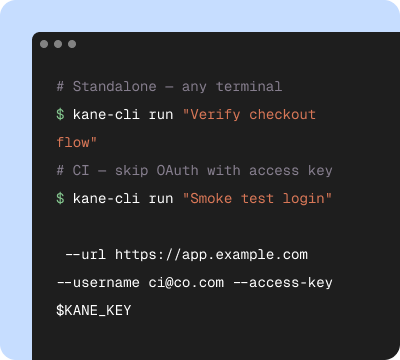
Start in your terminal
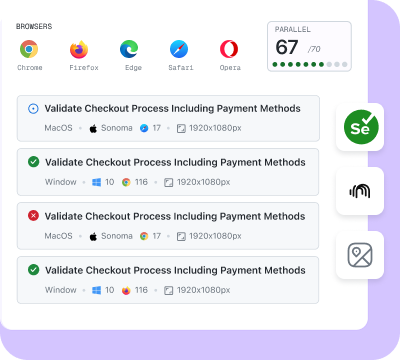
Validate on Cloud
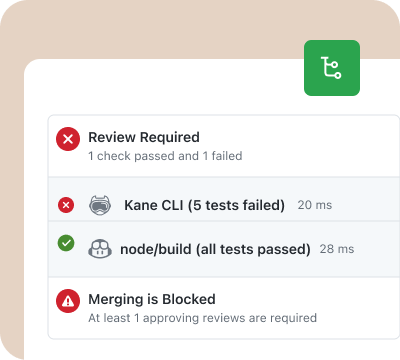
Release with confidence
Browser Automation Before Every Deploy

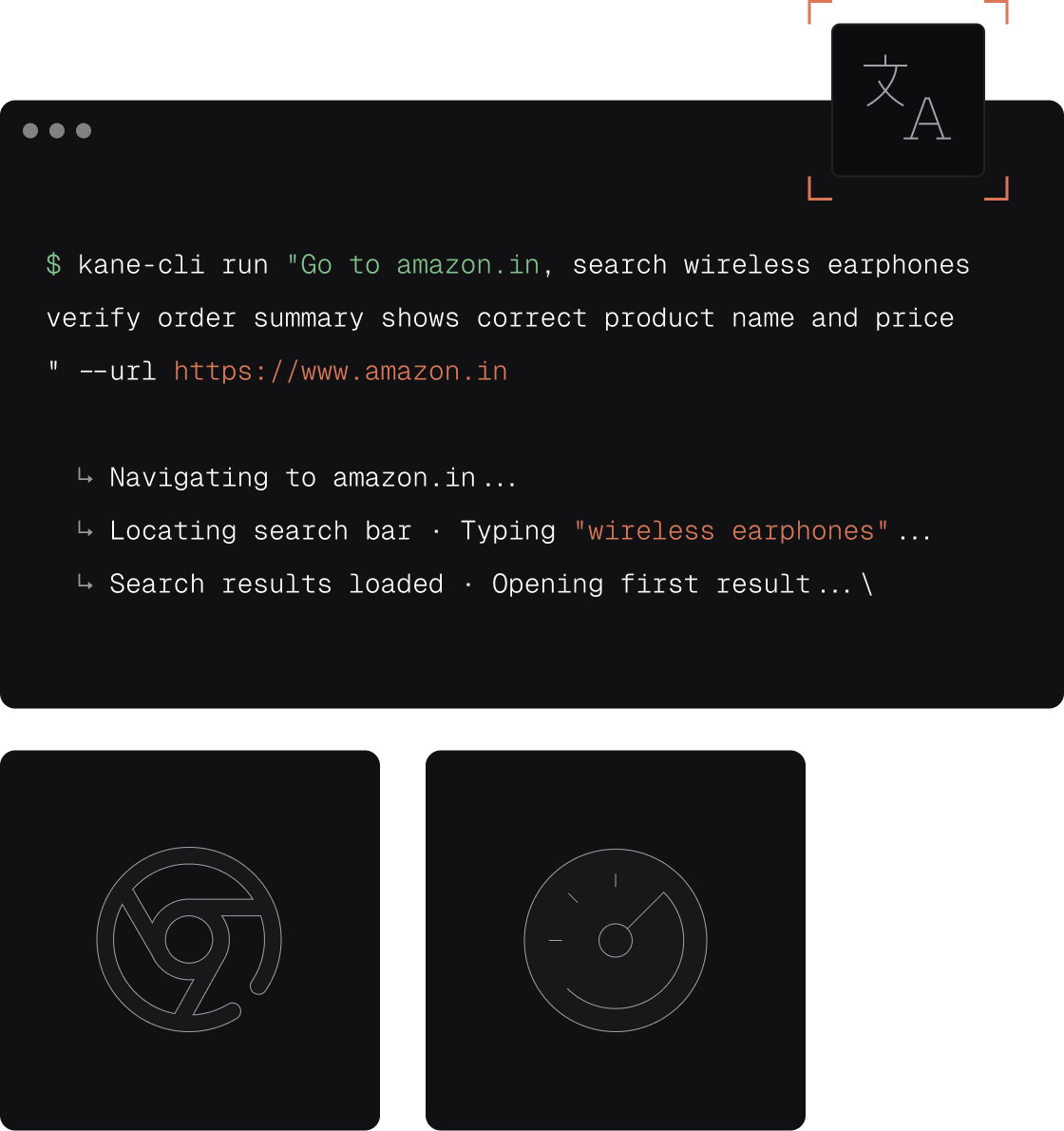
Automate flows & tests on local web browsers
Author and automate web flows using intent-based natural language

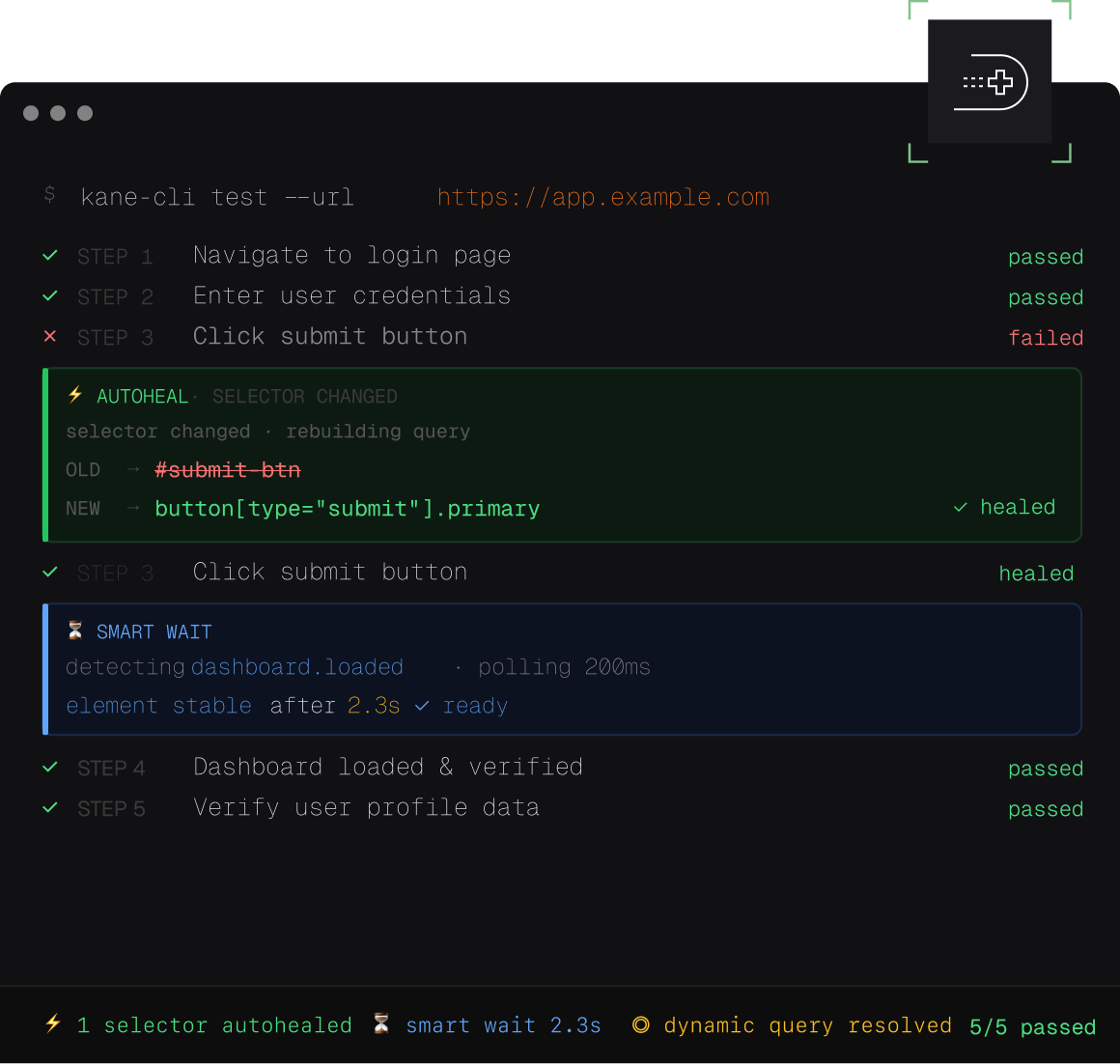
Repeatable and resilient tests, always
Autoheal, smart waiting, dynamic querying built in

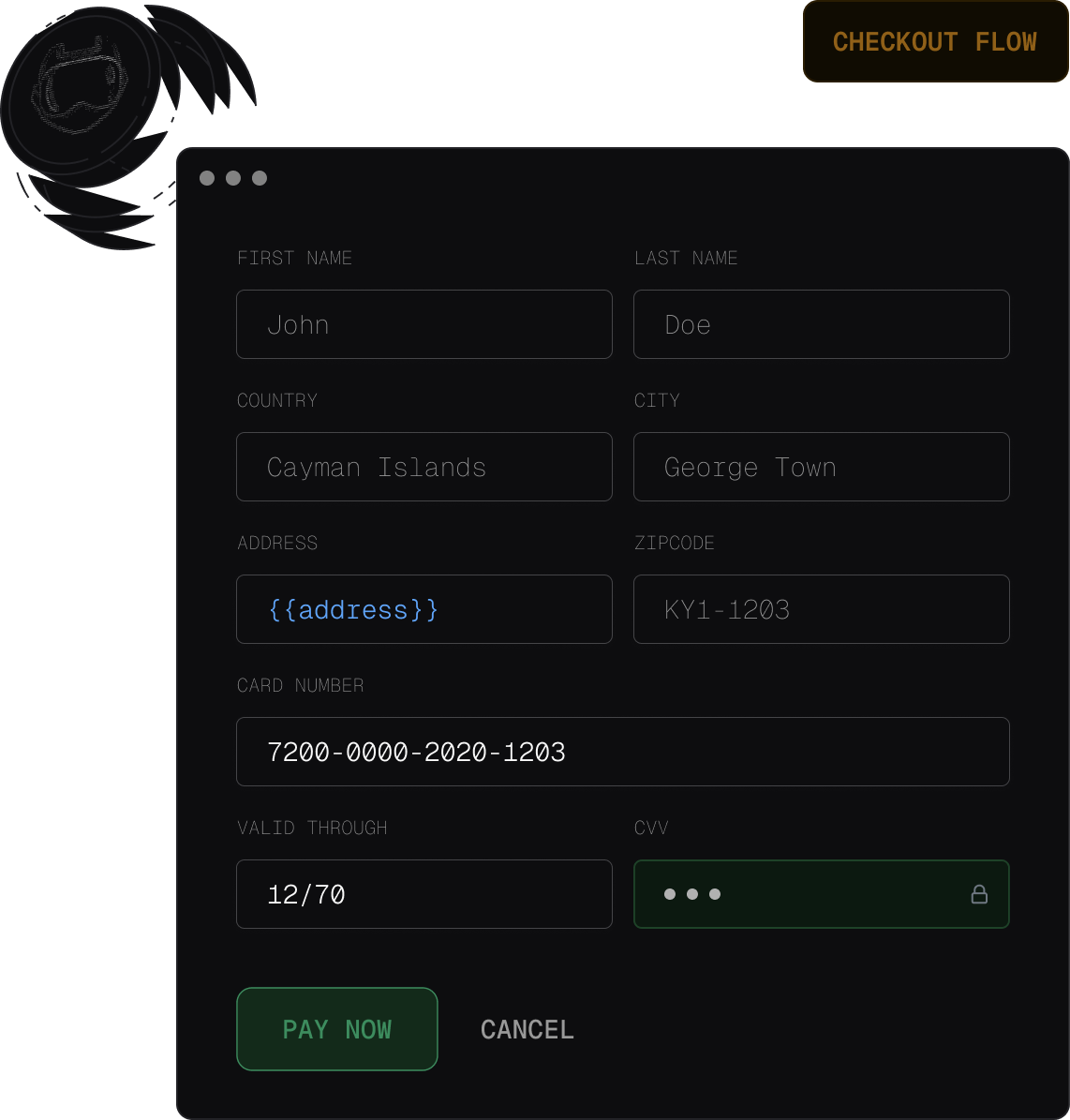
Secure & parameterized flows
Use secrets and variables to create dynamic tests

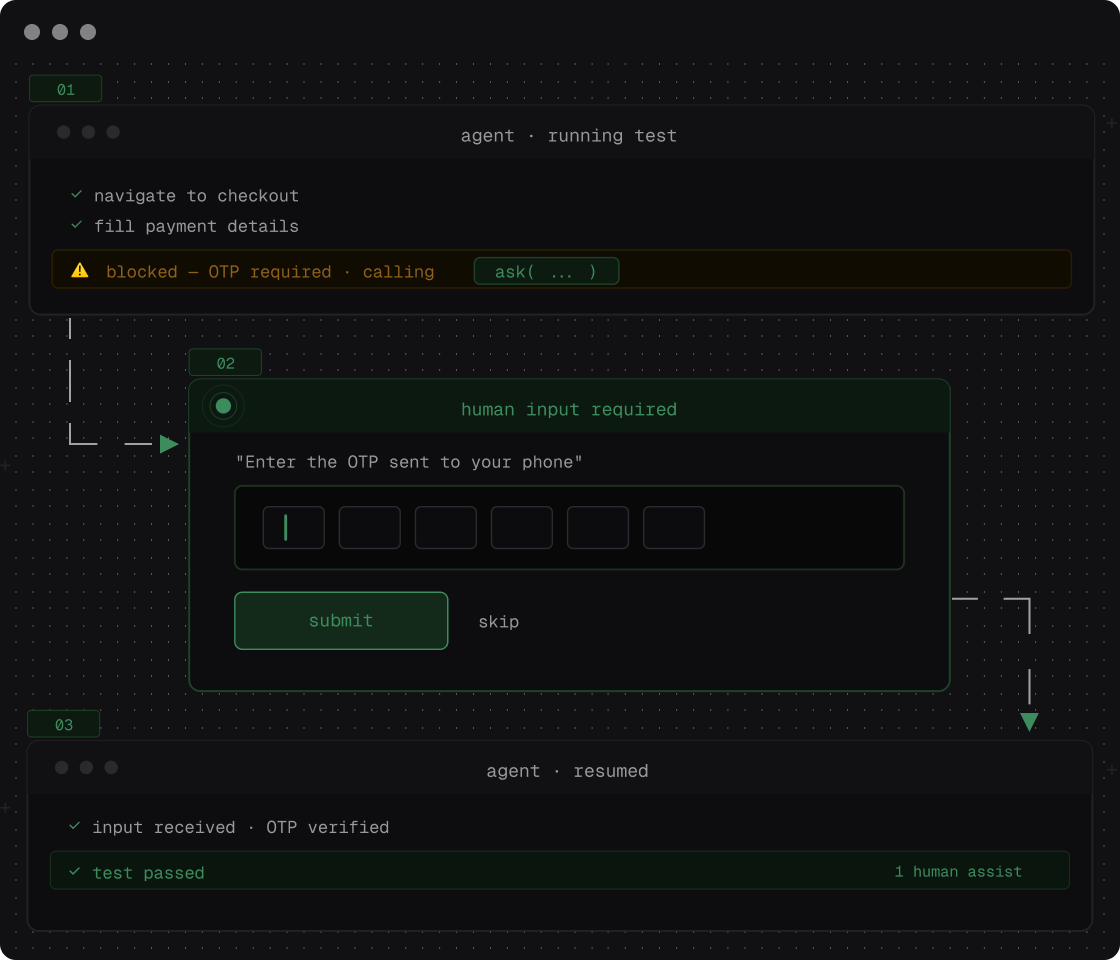
Ask tool - unblock your agent by being in the loop
Unblock your agent for OTPs and CAPTCHAs

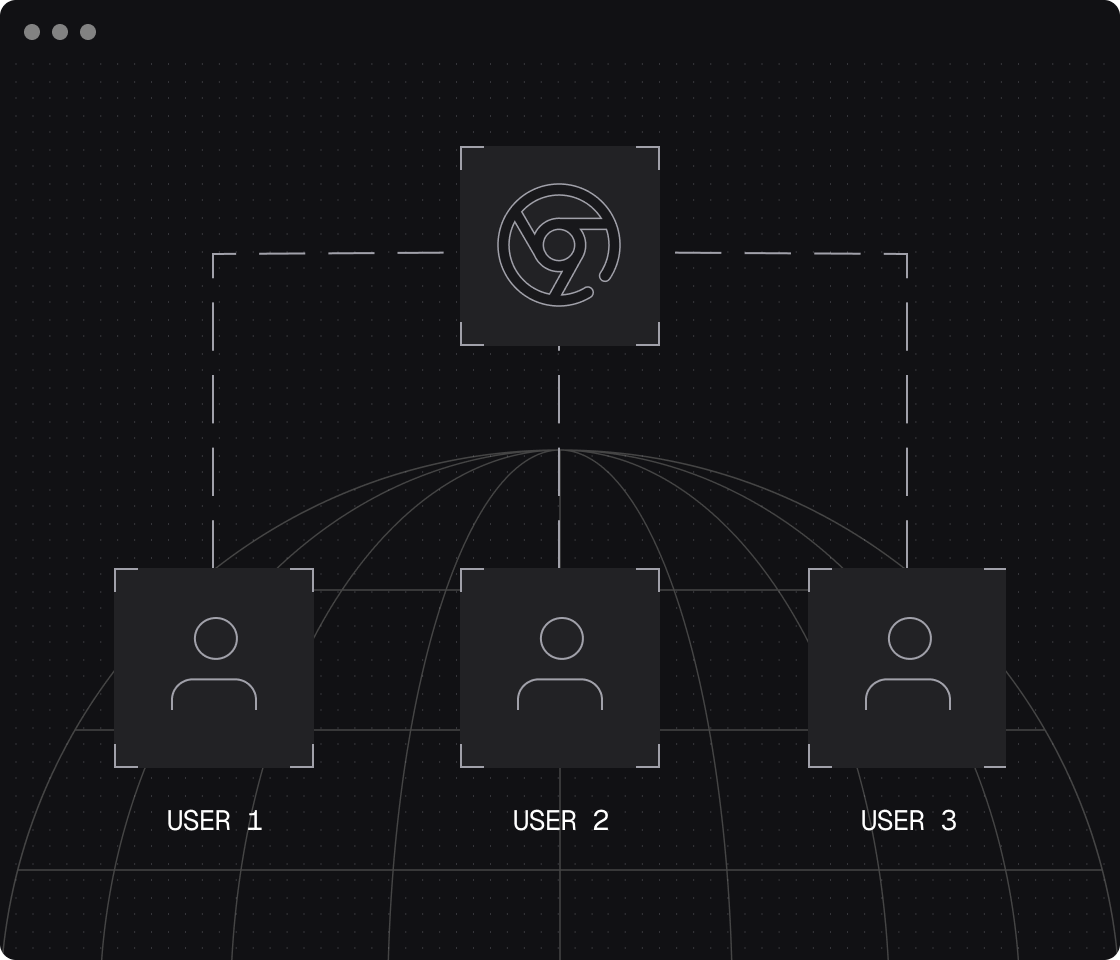
Custom profiles and stateful flows
Use custom profiles and existing authenticated sessions for flow automations

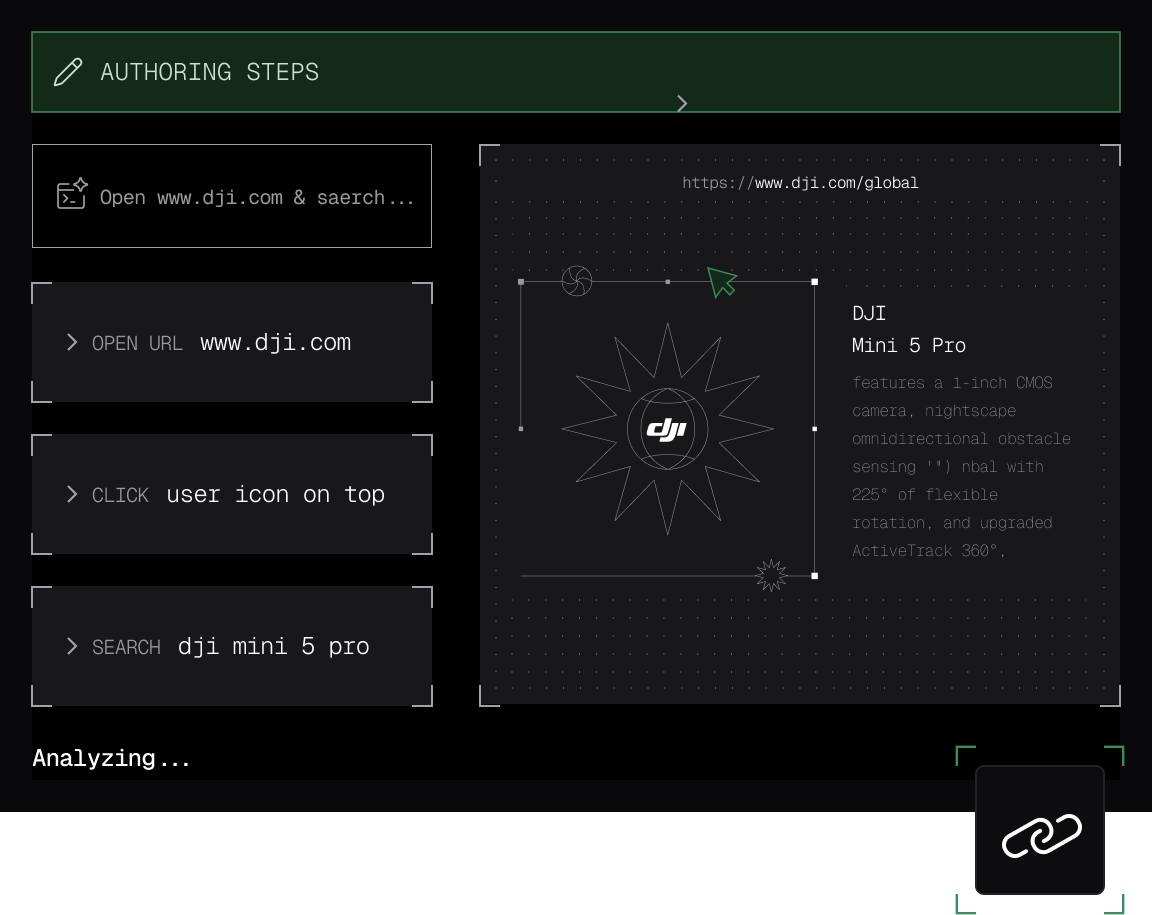
Shareable & watchable test evidence links
Get persistent and shareable test evidence links

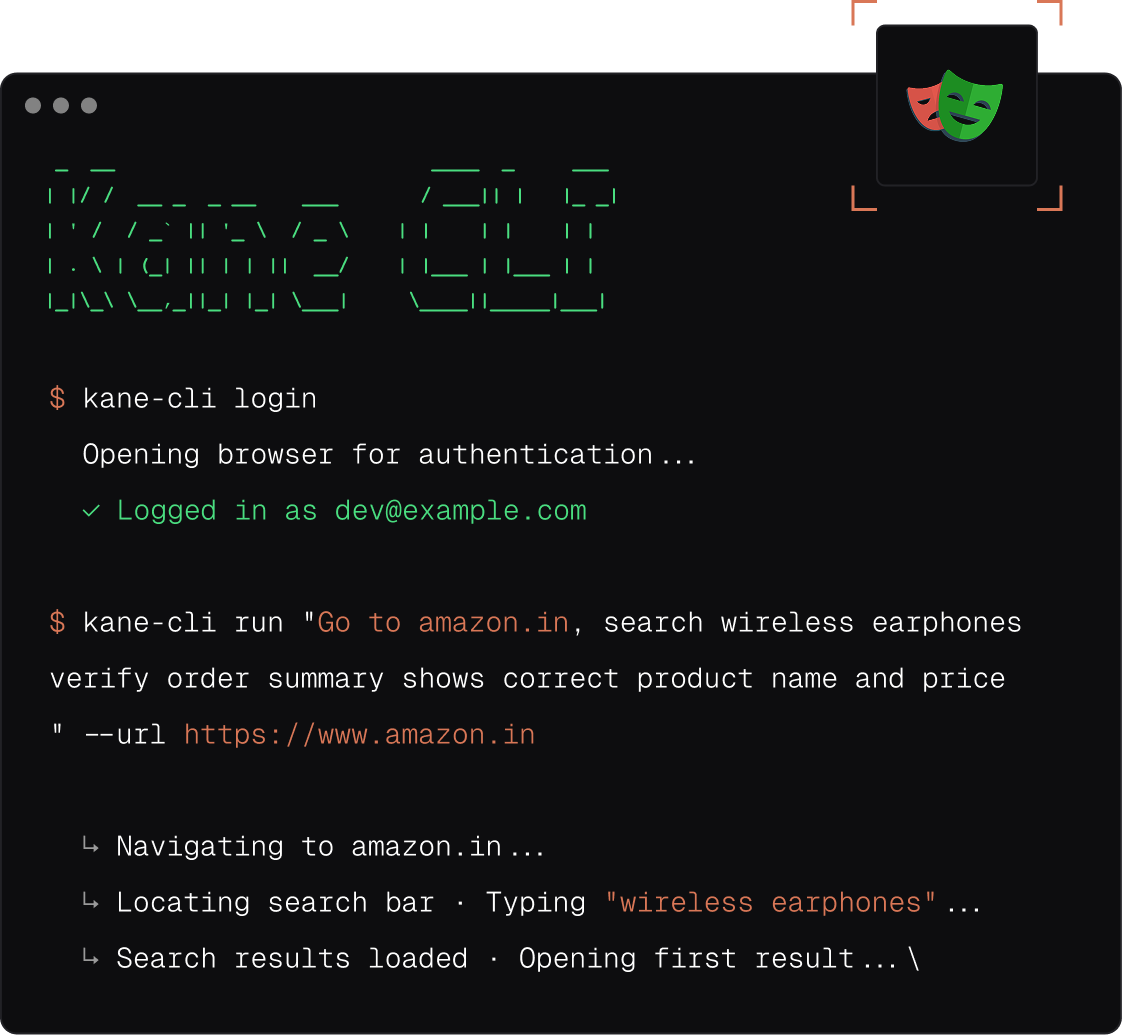
Native Playwright exports
Hacker mode enabled: Export flows into native Playwright scripts and hack them

Test.md, the agent-native test framework
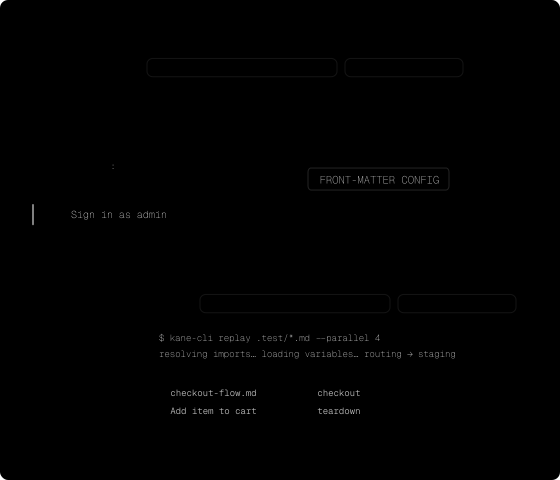
Capture any session as replayable markdown. Imports, variables, replay.
 MOBILE TESTING
Mobile app testing from your terminal
Kane CLI runs tests against local mobile virtual devices: Apple's iOS Simulator and Google's Android Emulator. You author and run mobile tests the same way you already do for the browser. The difference is that a mobile test runs against an app you provide, on a simulator or emulator on your machine.
Test your app from the terminal
Install Xcode or Android Studio once, then kane-cli login and kane-cli doctor --install set up the rest: Kane CLI discovers the device, boots it, installs your app, and runs the test. This release runs on macOS with Apple Silicon, and a mobile run targets a native app rather than a mobile web page. The mobile testing guide has the supported matrix.
- iOS Simulator and Android Emulator targets
- Natural language objectives, no selectors
- Device model, OS version and device logs in every .evidence pack

Teach your agent the right skills
 Point your agent to: testmuai.com/kane-cli/agents.md
Get the technical rundown
Documentation
Everything you need to install, configure, and run Kane CLI in under 2 minutes.
Kane CLI in the terminal
What kane runs, and what it plugs into
One binary, three terminal modes, so the same natural-language command runs a check on your machine, in CI, or from an agent. These pages walk through each mode, and through the rest of the TestMu AI platform kane runs on. If you are weighing kane against another tool, every side-by-side sits on the comparison hub.
Built by an agent, checked by kane
Test the app your coding agent just shipped
Code that compiles can still break a signup, a checkout, or a dashboard filter. Point kane at the flow your assistant touched and it re-runs the journey in a real browser, then returns a verdict the same agent can read and act on. Start with the tool you build in.
Coding agents
More coding agents
More Reasons to Love TestMu AI (formerly LambdaTest)
See how TestMu AI improves your testing with seamless integration, quicker results, and unmatched accuracy.
Users
3M+
Tests
1.5B+
Enterprises
18K+
Countries
132
TestMu AI Named a Challenger in the 2025 Gartner® Magic Quadrant™
Read ReportTestMu AI recognized in The Forrester Wave™: Autonomous Testing Platforms, Q4 2025
Read ReportWall of Fame
TestMu AI is the #1 choice for SMBs and enterprises across the globe.

Enterprise-Grade Security
We safeguard your data and AI systems with global security, privacy, responsible AI, and ESG standards.

Integrations
Works where you work, 120+ integrations with the tools your team relies on.




As Seen On
Frequently asked questions
Kane CLI is an AI-driven testing tool for you and your agents. You describe what you want in natural language, for example "log in as an admin, open the billing page, and verify the plan shows Enterprise", and Kane CLI drives a real Chrome browser to get it done. No selectors, no brittle scripts, no custom Domain Specific Language. It's built for developers, QA engineers, and AI coding agents that need to navigate, test, or extract data from web apps.
Three audiences:
- Developers and QA engineers who want to write end-to-end tests in natural language instead of maintaining Playwright or Selenium scripts. The wider AI QA picture covers where this sits next to authoring, coverage, and orchestration.
- AI coding agents (Claude Code, Cursor, Codex, Gemini, custom agents) that need a reliable way to drive a browser and ensure validation for applications as part of a larger workflow.
- Platform and DevOps teams that want browser-based checks running in CI without a codebase to maintain.
KaneAI is the web-based test authoring and management platform. Kane CLI is the terminal-native companion with the same automation engine, accessible from your shell, your CI pipeline, or an AI agent. Runs triggered from the CLI are uploaded to the KaneAI dashboard so you get the replay, step-by-step logs, and test case management alongside your web-authored tests.
Those are frameworks you write and maintain by hand. The real cost is the maintenance, and it grows with the app. Kane CLI generates fresh test plans, runs them against your live app or API, keeps every passing test so coverage compounds, and repairs its own tests when the UI drifts. No scripts to write, no selectors to babysit, no suite quietly rotting between releases.
The CLI itself is free to install and use. Execution uses your TestMu AI account. Local runs are free, and cloud runs on the TestMu AI grid are billed against your TestMu AI plan the same way any other KaneAI session is.
Yes. Kane CLI authenticates against TestMu AI so that runs, screenshots, and test cases can sync with the KaneAI dashboard and your team's workspace. If you don't have an account yet, you can sign up for free at testmuai.com. The free tier is enough to try the CLI end to end.
The fastest way is npm:
npm install -g @testmuai/kane-cliAfter install, verify with kane-cli --version and sign in with kane-cli login (opens a browser) or kane-cli setup --auth-method basic --username <user> --access-key <key> for headless environments.
Yes. Use kane-cli setup --auth-method basic with your TestMu AI credentials, pass --headless and --timeout on each run, and use --agent if you want structured NDJSON output you can parse in a post-step. The CLI exits with code 0 on pass, 1 on fail, 2 on setup/auth errors, and 3 on timeout, so your pipeline can gate on it cleanly.
Run npm install -g @testmuai/kane-cli@latest. Check your installed version any time with kane-cli --version, and see the latest release at https://github.com/LambdaTest/kane-cli/releases.
Yes. Use {{variable}} syntax in your objective and supply values via --variables, a --variables-file, or JSON files in .testmuai/variables/. Mark sensitive values with "secret": true and Kane CLI will mask them in logs and push them through TestMu AI's secrets API instead of storing them in the clear.
Yes. Pass --headless and Chrome runs invisibly. Combine with --timeout to cap runs in CI. If you need to debug a failure visually, re-run without --headless locally and watch the browser.
The CLI itself runs one objective per invocation, but the agent mode is designed to be fanned out. Spawn multiple kane-cli run --agent --headless processes from your test runner, CI matrix, or AI agent, and aggregate the NDJSON results. Each run gets its own isolated Chrome session.
Healing has two tiers, and the difference between them is the whole answer.
Step-heal is the common case. Replay can't resolve one step's target (an id was regenerated, an element moved, the markup got refactored), so kane re-finds that one element by what it is rather than where it sat. The step's place in the flow is unchanged and every other step is untouched. It's a local repair, it's most of what happens in practice, and it's measured: pointed at a page engineered to regenerate its element ids on every single load, a saved check re-found its target and passed every time. No edit, no engineer, no LLM spend.
Flow-heal only runs when a step can't be healed at all, when the step as written is no longer possible because the route itself changed. Only then does anything re-reason the path to the objective.
The risk lives entirely in that second tier, and two things bound it. It is a last resort rather than a default, so the cheap local repair is exhausted first. And it operates on the path, never on the acceptance criteria. It can re-find a route to the same stated outcome, but it has no authority to redefine what "passed" means. A test quietly adapting itself into testing something else would require the agent to be able to edit the criteria. It can't. A wrong total doesn't get healed into green; it gets reported as a bug.
The honest boundary: all of this is strongest when an element's addressing changes and its meaning doesn't. Semantic drift is harder. Think of a button that keeps its label but now routes somewhere else. There we would rather fail loudly than adapt, and that's a deliberate choice, not a solved problem.
A pass is the full set of acceptance criteria for that scenario being satisfied. Not one assertion, not a vibe, not the model's own account of what happened. You write the criteria. The system's job is to establish whether they hold.
That's also the line between reasoning and verification: reasoning owns the path, verification owns the verdict. The model never gets a vote on whether the test passed, which is the one design decision everything else in the product hangs off.
A verdict you can't reconstruct is just AI-generated confidence with extra steps, so this is the part we care most about.
Every run emits self-contained test run evidence in a format we call .evidence. Drop that file into evidence.lambdatest.com and you get the entire run back: every step, screenshots, network logs, console logs, and terminal output. If the run failed, you also get the bug we reported, with its category and the verdict behind it.
So the honest answer is that an engineer shouldn't have to reconstruct anything. The run hands them the evidence and invites them to check our work. If someone can't get from a verdict back to the specific thing that produced it, that's a bug in us, not a limitation of the approach.
The question is worth splitting first, because a "flaky test" is usually a bad locator, a static wait, or a race condition being blamed on the app. Two of those three are removed by construction: there's no locator to rot, because you never wrote one, and no hand-tuned wait to guess wrong.
For what's left, kane-cli has a bug-detection pass that tries to classify what it's looking at and returns a verdict with a confidence signal rather than a bare red. It is genuinely partial. Nondeterministic application state is hard, and we'd rather tell you that than claim we've closed it.
It has to, and the reason is cost shape. Replay is cached and deterministic, so the per-run cost doesn't scale with how much code an agent generated this week.
What scales is the number of intents a human is willing to state, which is the right bottleneck, because that's the part that should stay human.
Kane CLI uses Chromium (Google Chrome) locally. However, once the test case is authored, you can execute the test case on any browser/OS combination on HyperExecute or locally.
Yes, that's one of the main reasons it exists. Every run supports an --agent flag that switches output to structured NDJSON, so an AI agent can parse results, read screenshots on failure, and decide what to do next. There's also a ready-made Kane CLI Skill for Claude Code that handles setup, objective writing, and failure diagnosis out of the box.
Yes. Each run is uploaded to your KaneAI workspace. You'll get a test_url in the output that links to the replay, step-by-step logs, screenshots, and AI reasoning. From there you can manage it like any other test case, add it to a suite, or share it with your team.
Yes, Kane CLI is open to community contributions on documentation and skills. Docs contributions include fixes to the README, guides, and examples. Skill contributions improve the instructions AI coding agents (Claude Code, Codex CLI, the npm skill package) use when they drive Kane CLI, adding examples, covering new commands, or correcting inaccuracies. Full details and the code of conduct live in CONTRIBUTING.md.
Open a blank GitHub issue describing what you'd like to contribute and the maintainers will point you in the right direction. Bug reports and feature requests go through the same tracker. Both humans and AI agents are welcome to file them.
Yes. Kane CLI is featured and listed on several third-party sites, including Aback Launch, Product Hunt, AlternativeTo, SourceForge, and G2.
All issues and feature requests are tracked publicly at https://github.com/LambdaTest/kane-cli/issues, and the Skills added for Kane CLI already include instructions for coding agents to file bugs automatically. For manual reports, use the repo's templates and include your kane-cli --version, operating system, the exact command you ran, and (if available) the run_summary.json and failing screenshot from the session directory.
- Docs: https://www.testmuai.com/support/docs/kane-cli-introduction/
- Support: support@testmuai.com for account and billing questions
- Issues and feature requests: https://github.com/LambdaTest/kane-cli/issues
Featured on